
Tutor and roleplay
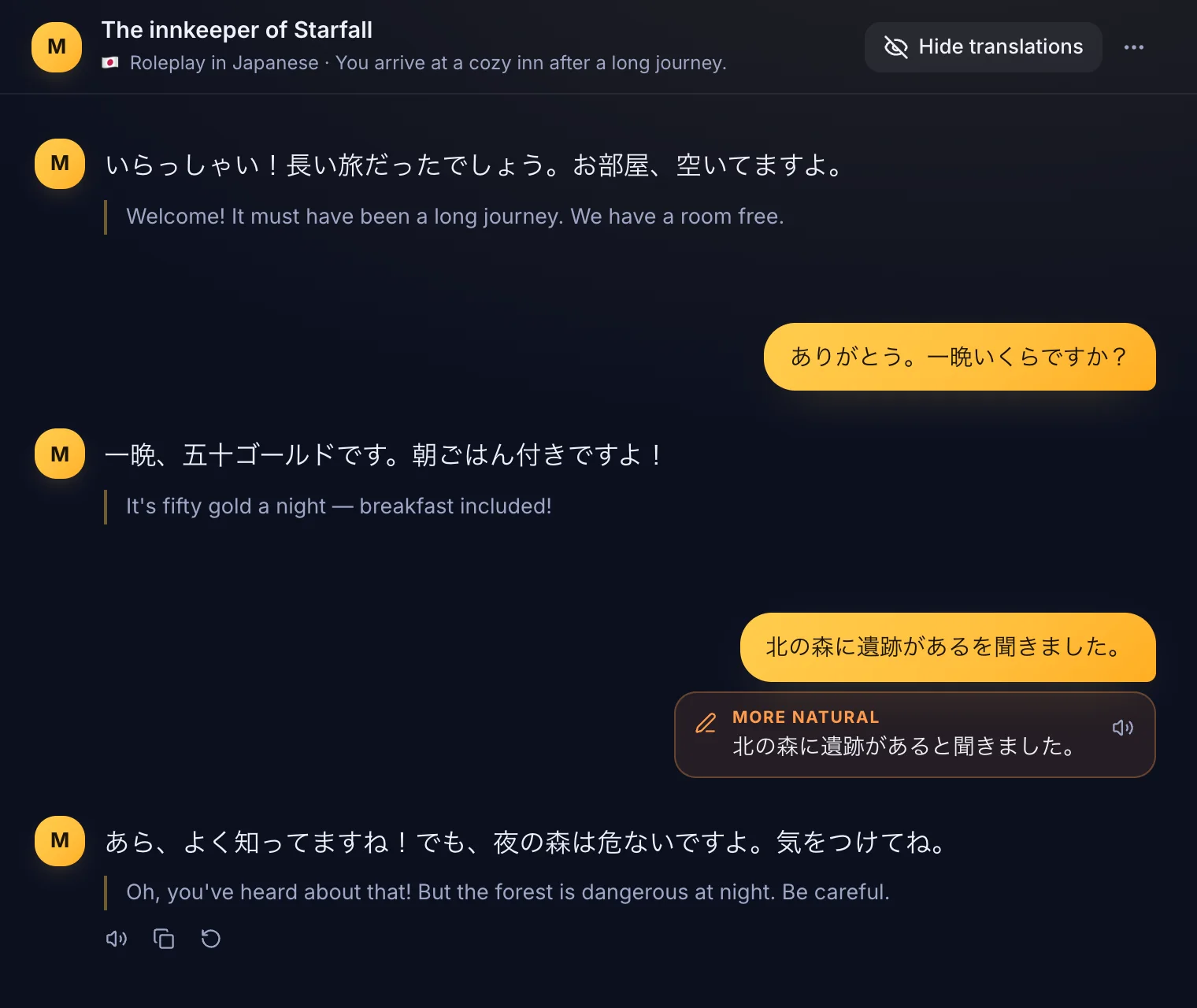
Chat with a character from the game's world. Corrections appear under your messages.
Press ⌘⇧Space over any game, click a word you don't know and see what it means in this exact scene. Saved words come back as reviews, and as quick quizzes the next time they show up in the game.
Free for 7 days, no card needed.
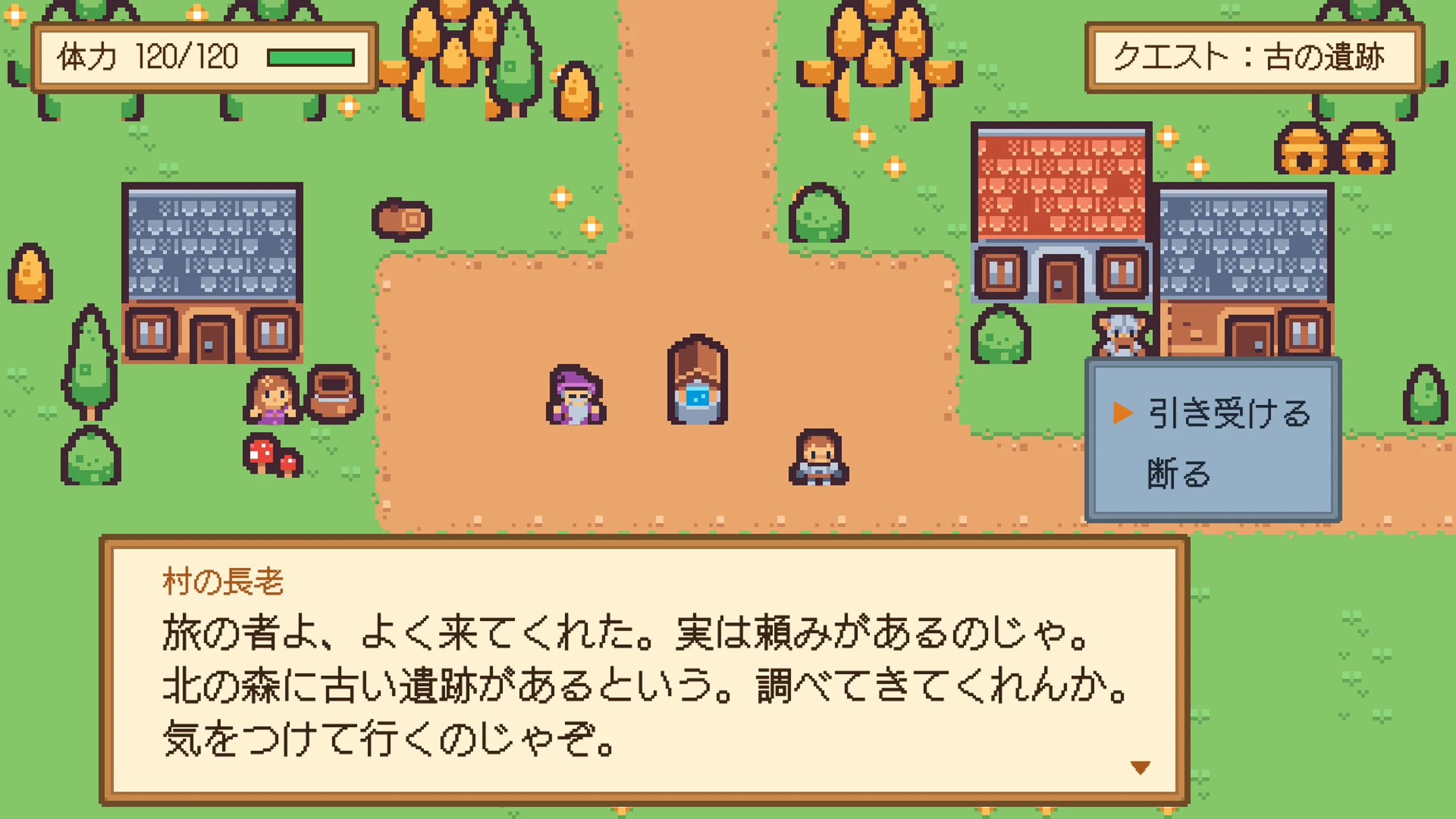
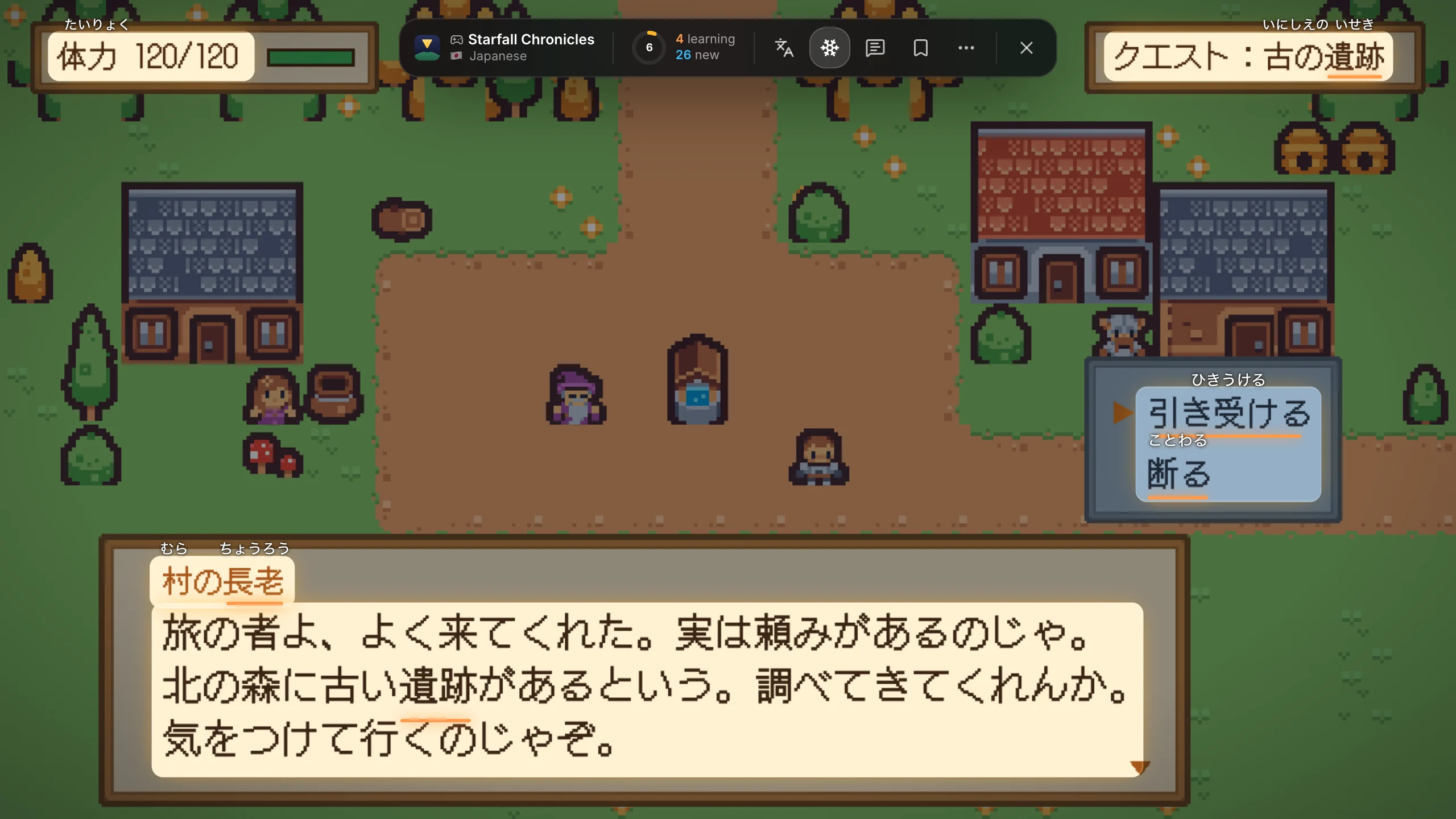
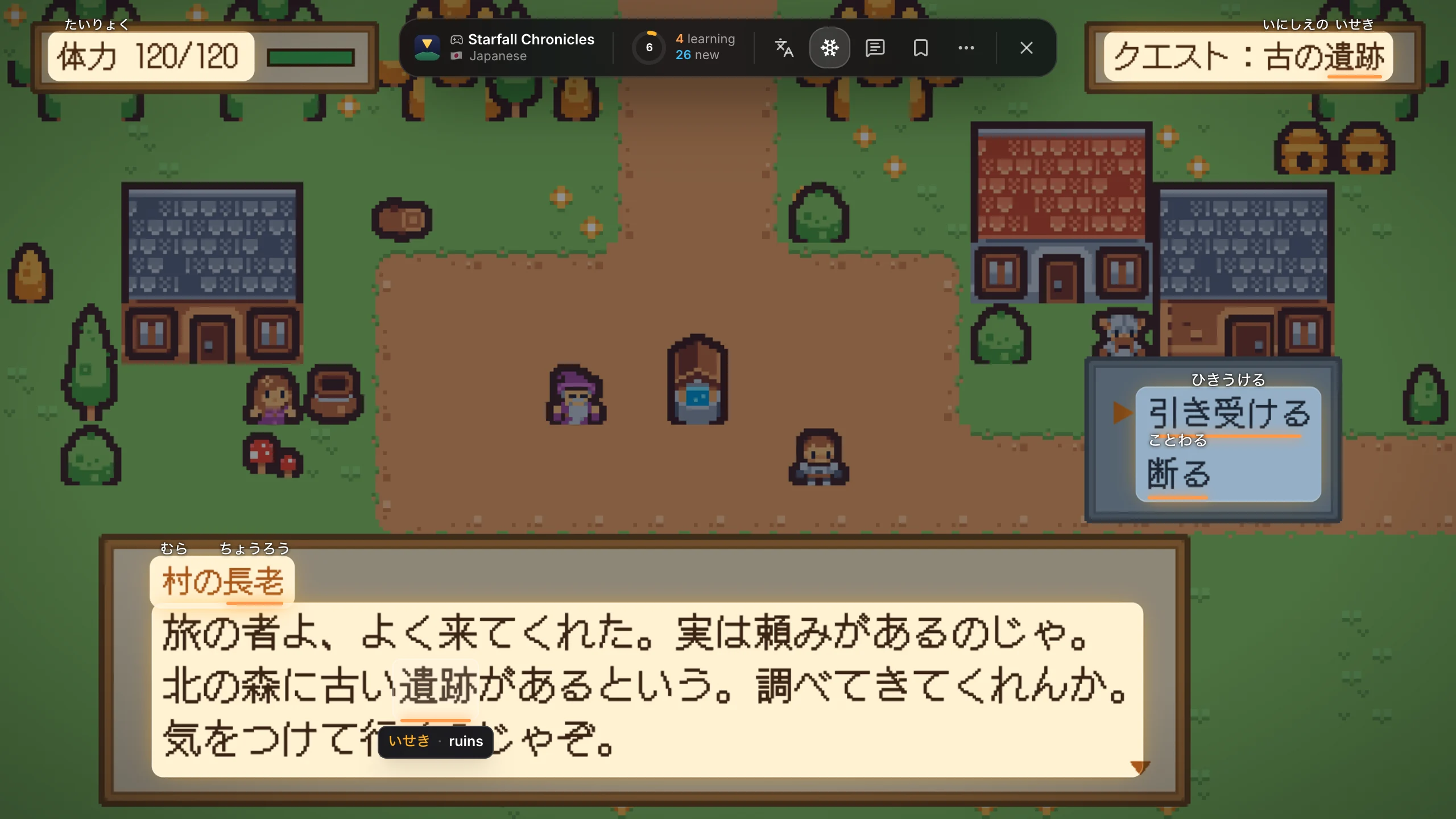
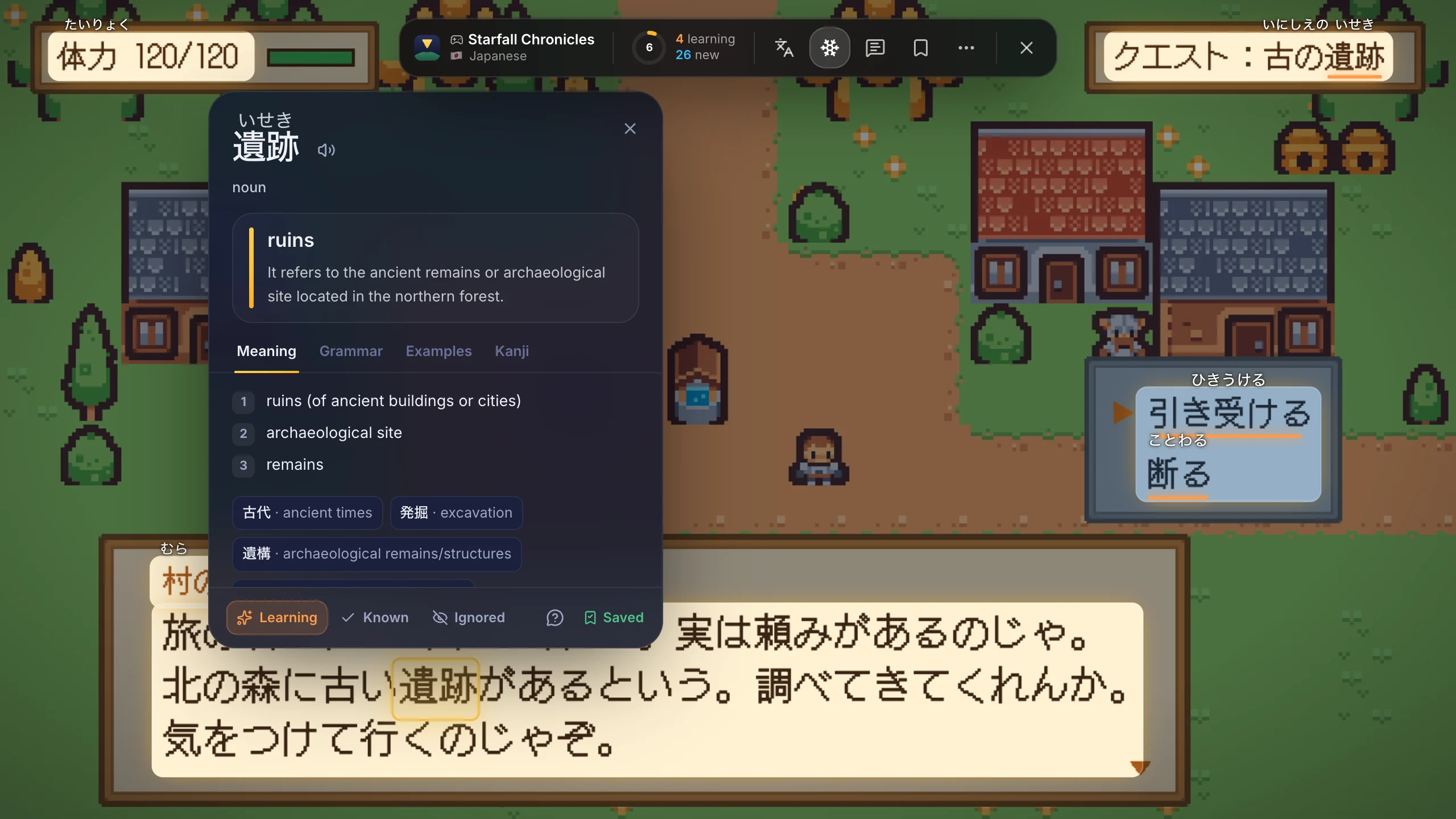
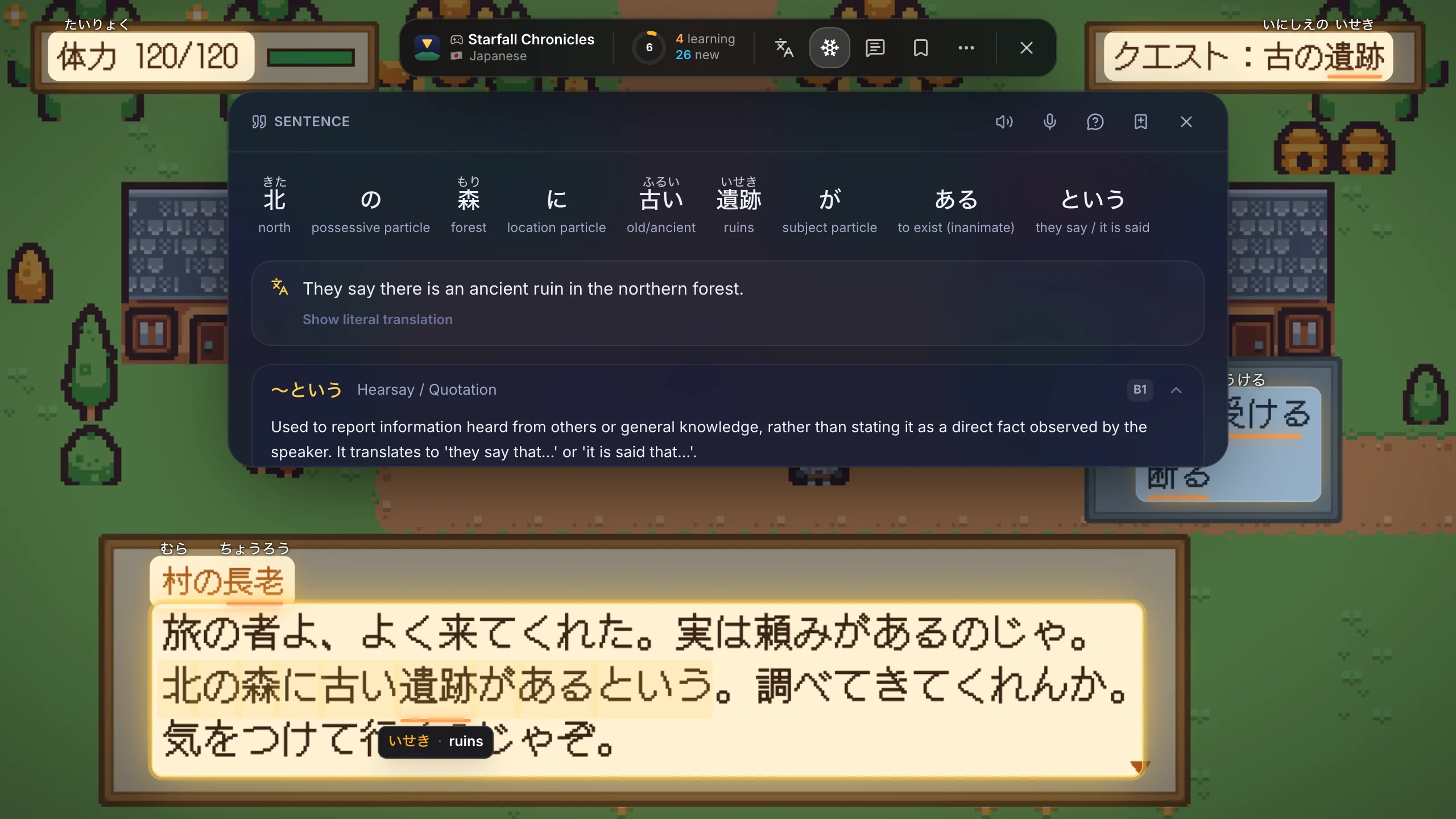
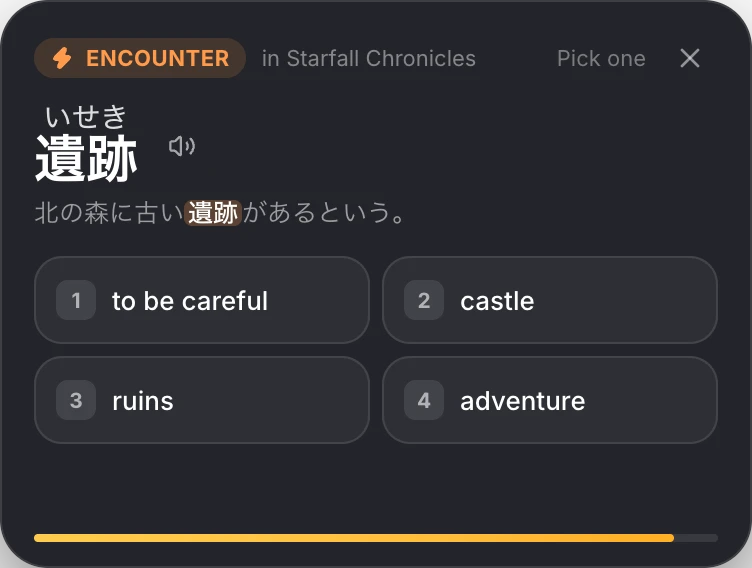
Captured from the real app over a sample scene. Choose a step to see it again.
RPGs, visual novels, strategy games, emulators, even videos.
Japanese, Korean, Chinese, Spanish, German, French and 20 more.
Text recognition runs on your computer. Screenshots are never uploaded.
No injected code, no reading of game memory or files.
The Lens opens over a still of your game. Everything below happens right there, in a second or two.
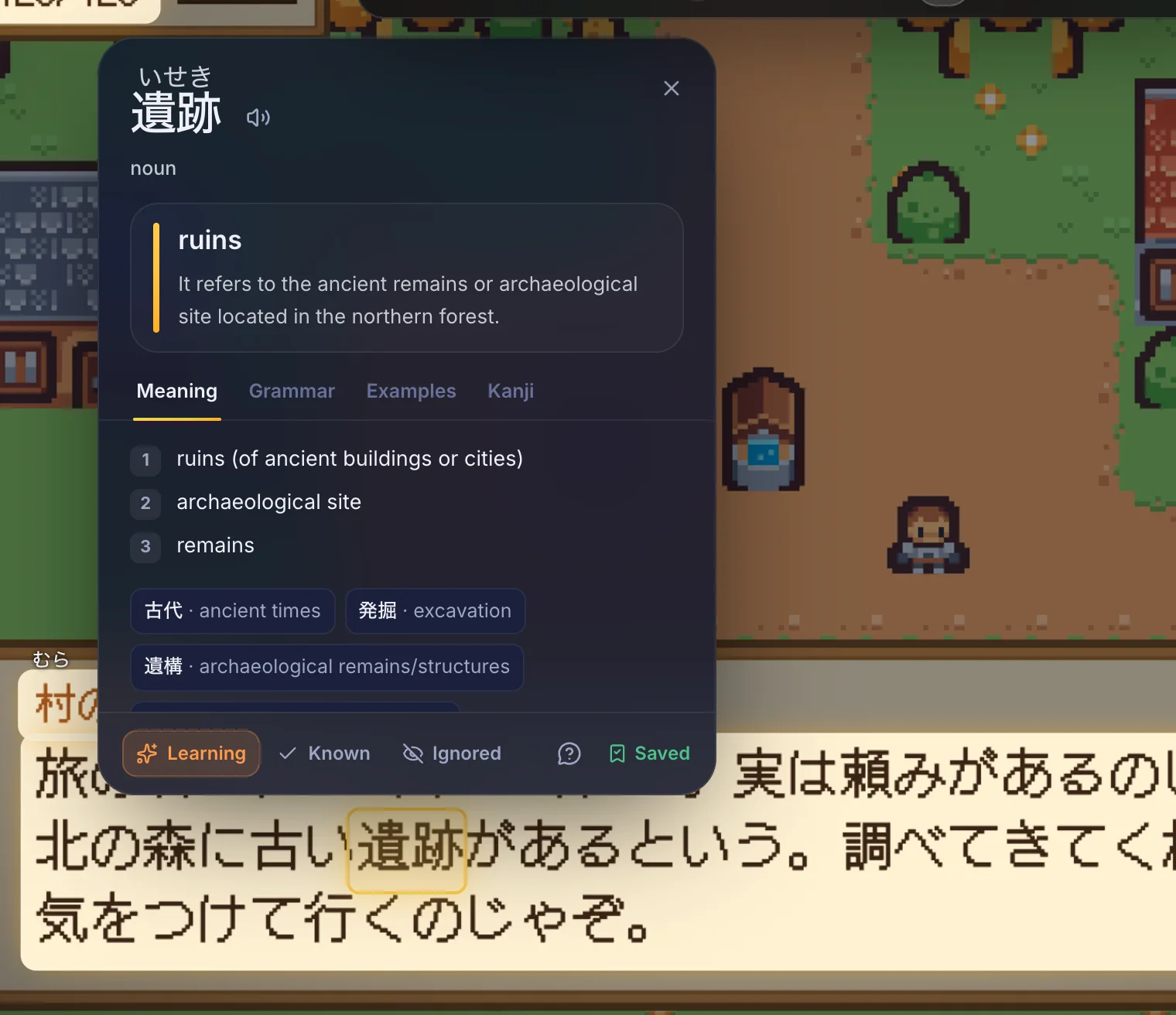
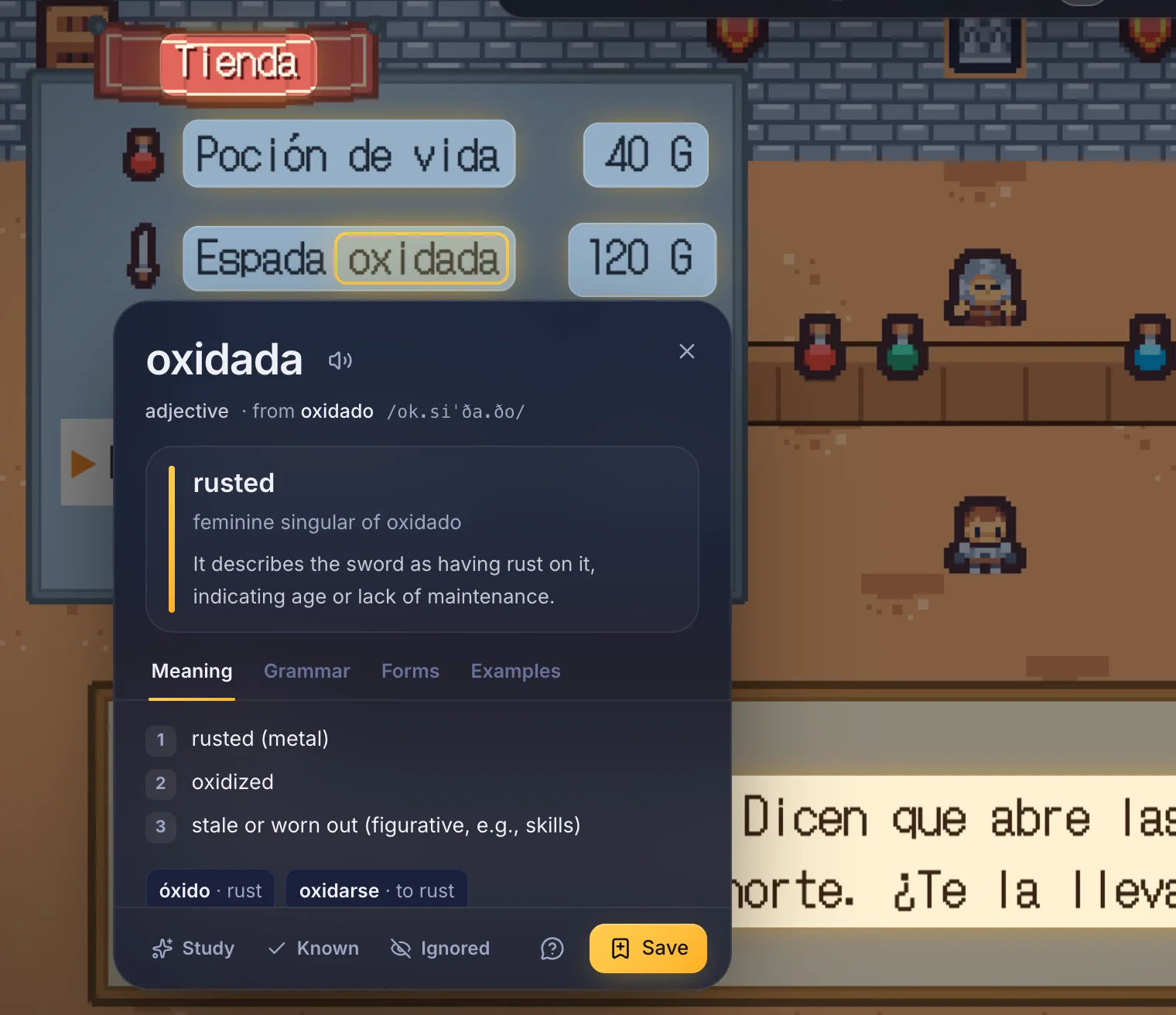
The card explains the word as it's used in this line: reading, meaning in context, grammar, other forms, examples, the kanji and a way to remember it. One click adds it to your reviews.
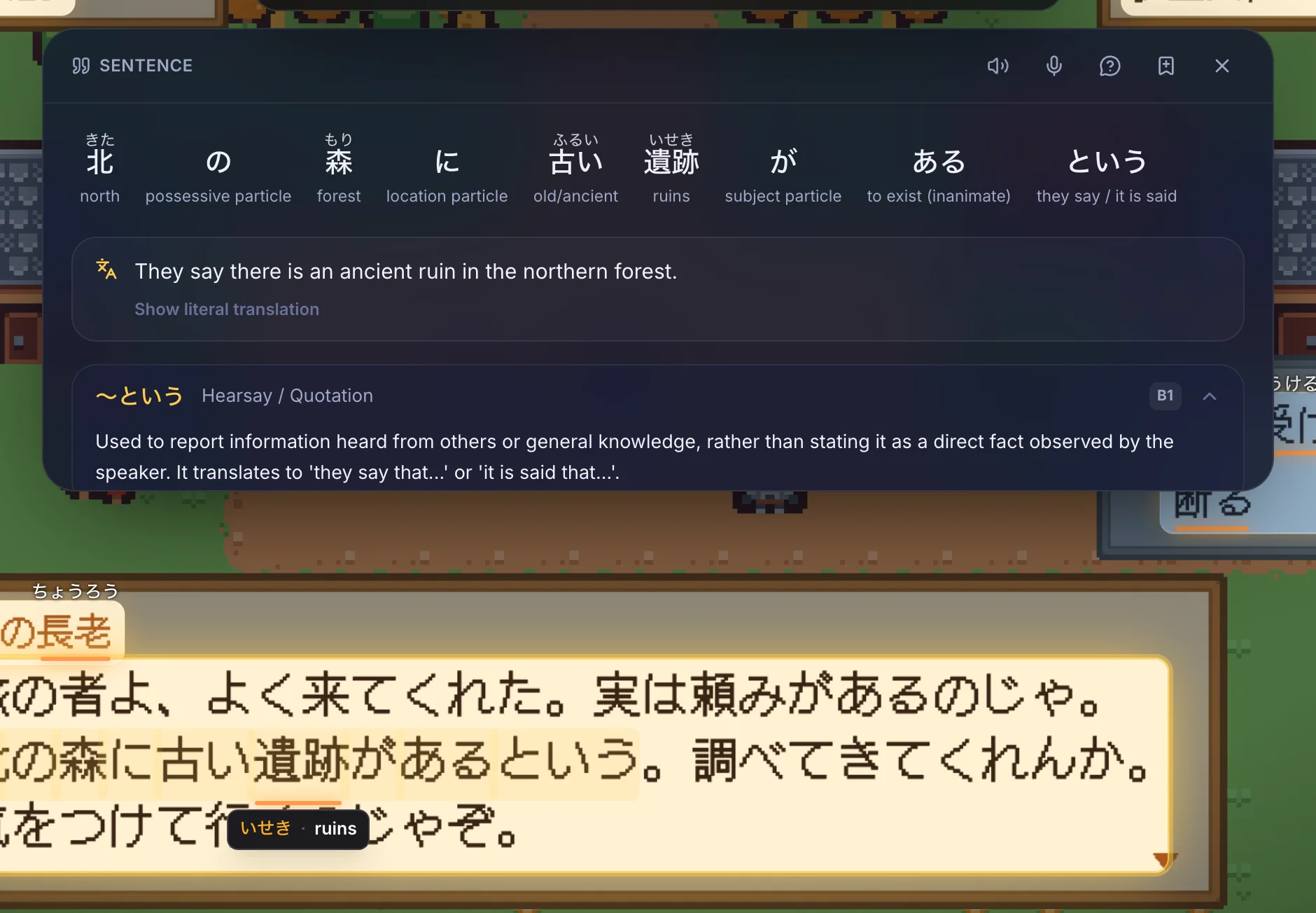
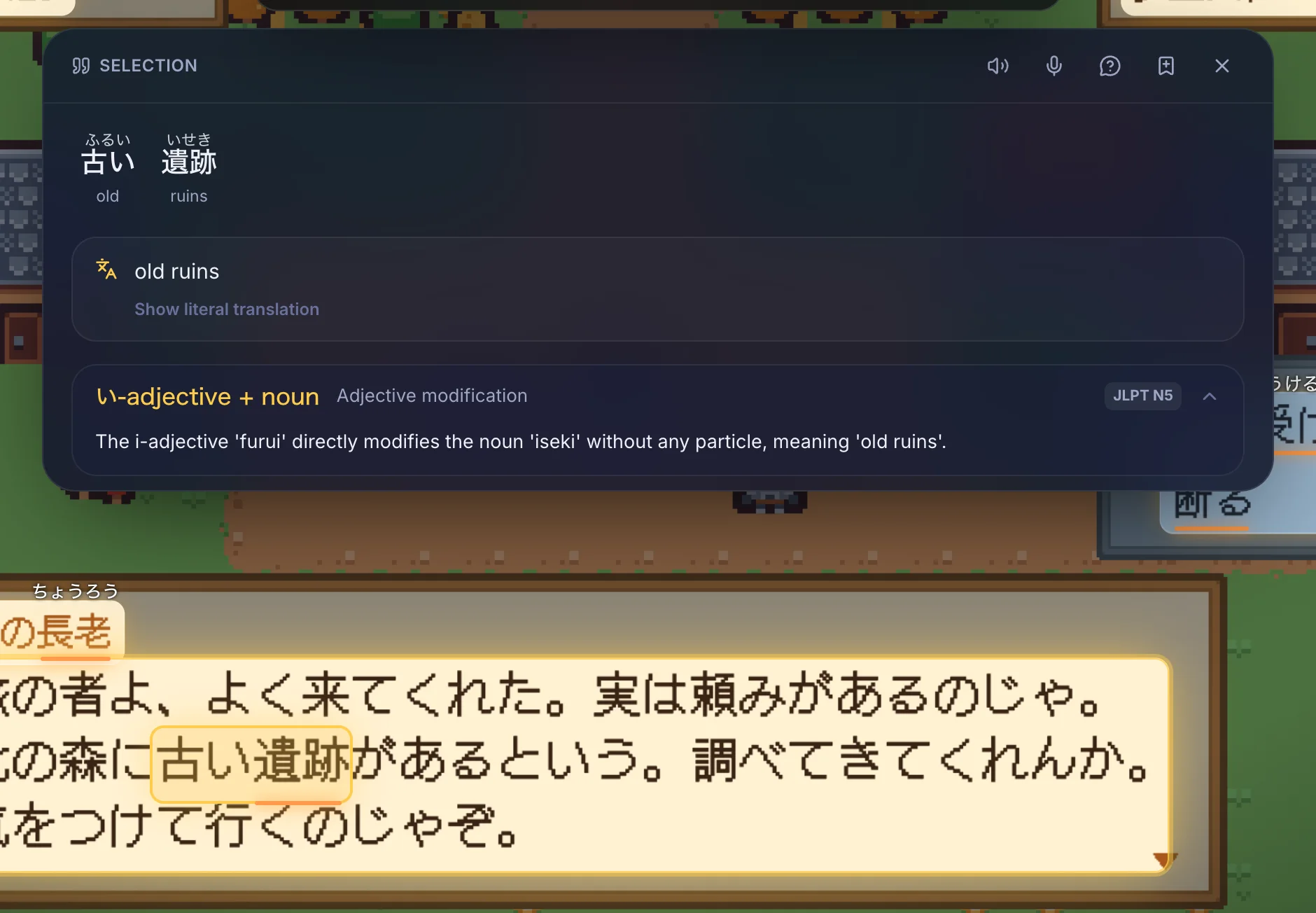
Press ↑ for a word-by-word gloss, a natural translation and the grammar points in the sentence, tagged by level. Drag across a few words and Overword translates them as one phrase. Save either like a word.
Overword keeps reading the screen in the background. When a word you're learning shows up again, a small card asks what it means. Answer or close it and carry on. ⌘⇧E turns encounters off.
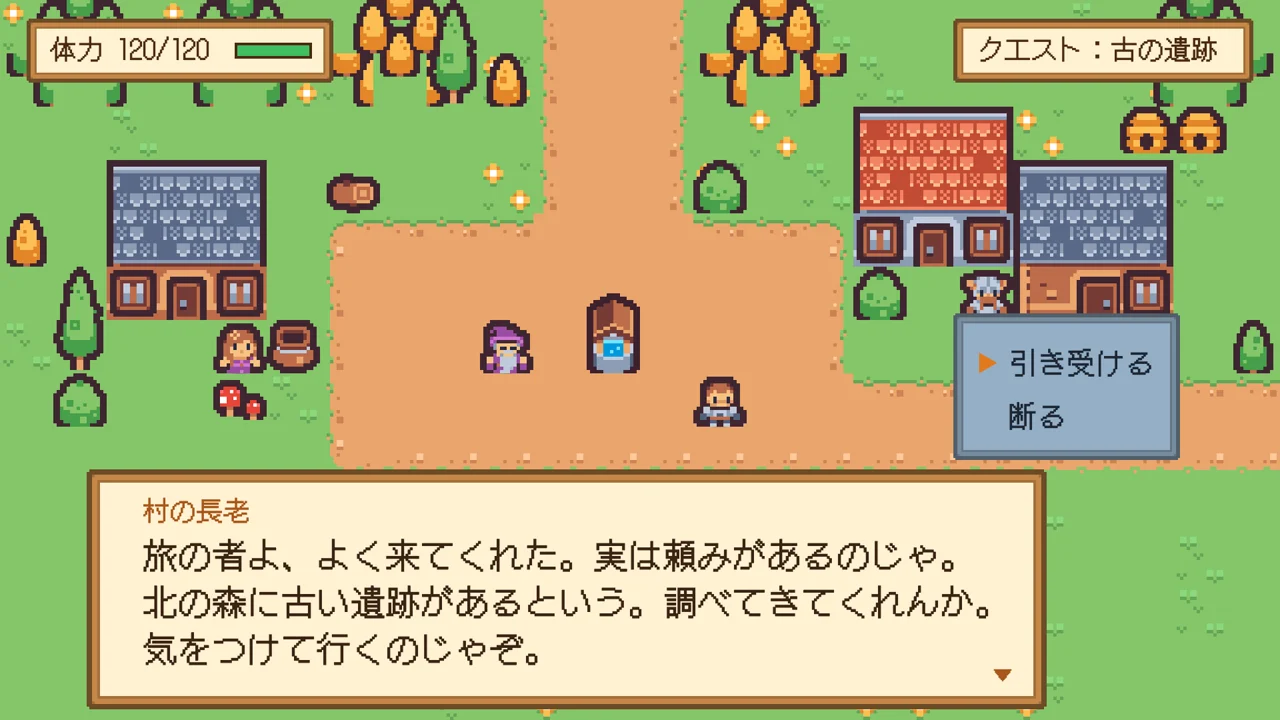
Every saved word becomes a flashcard that shows the dialogue where you met it. FSRS schedules each card, so it comes back right before you would forget it.
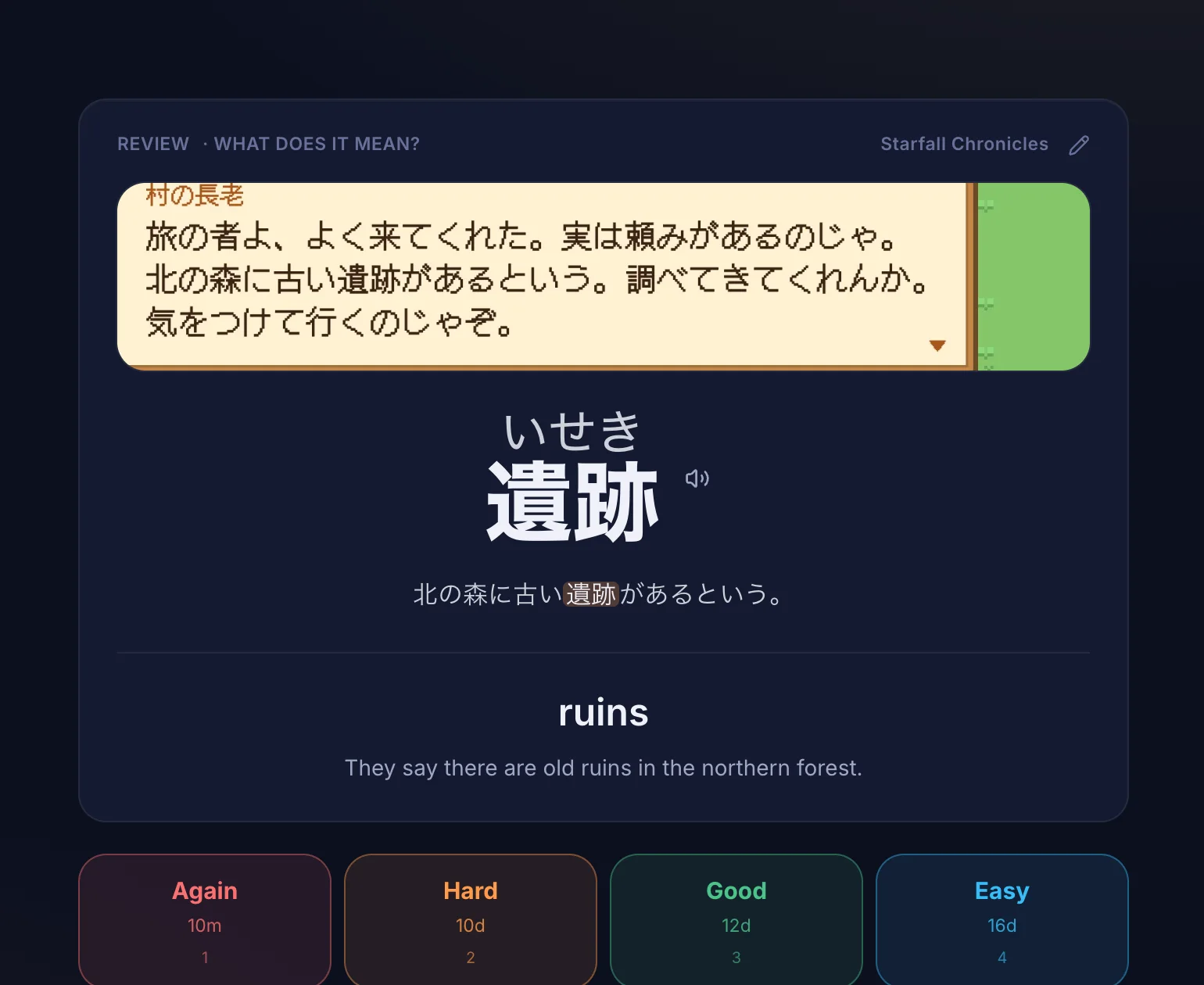
Every block of text on screen gets a translation underneath, for the moments you just want to keep playing.
Furigana appear above the words you don't know yet. Words you're learning stay underlined.
Import .apkg decks, send new words through AnkiConnect without duplicates, or export to CSV.
Everything you saved in the Lens feeds the rest of the app.
Chat with a character from the game's world. Corrections appear under your messages.
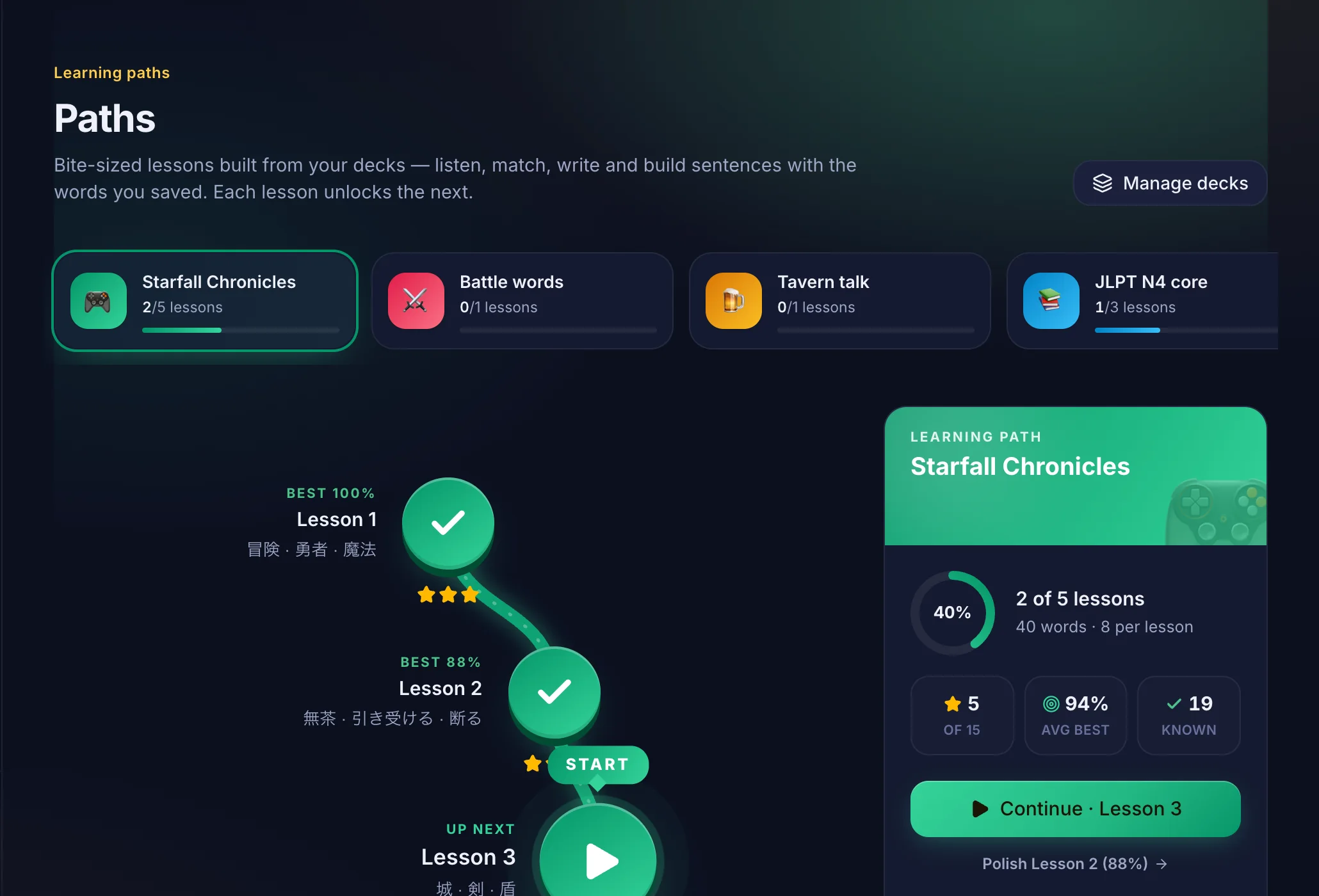
Short lessons built from the words you met, with eight kinds of exercises.
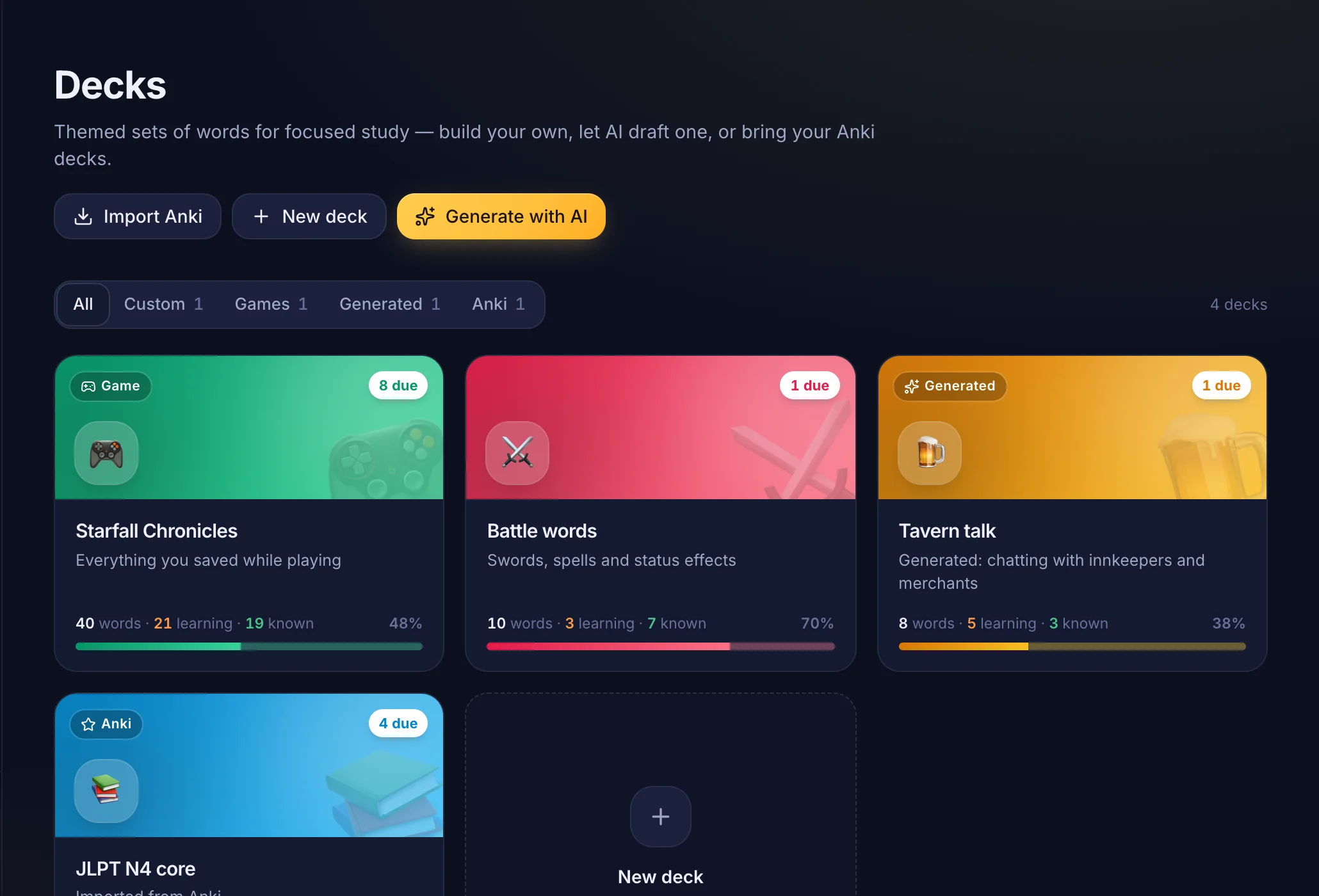
A deck for each game, decks on any topic, and Anki import.
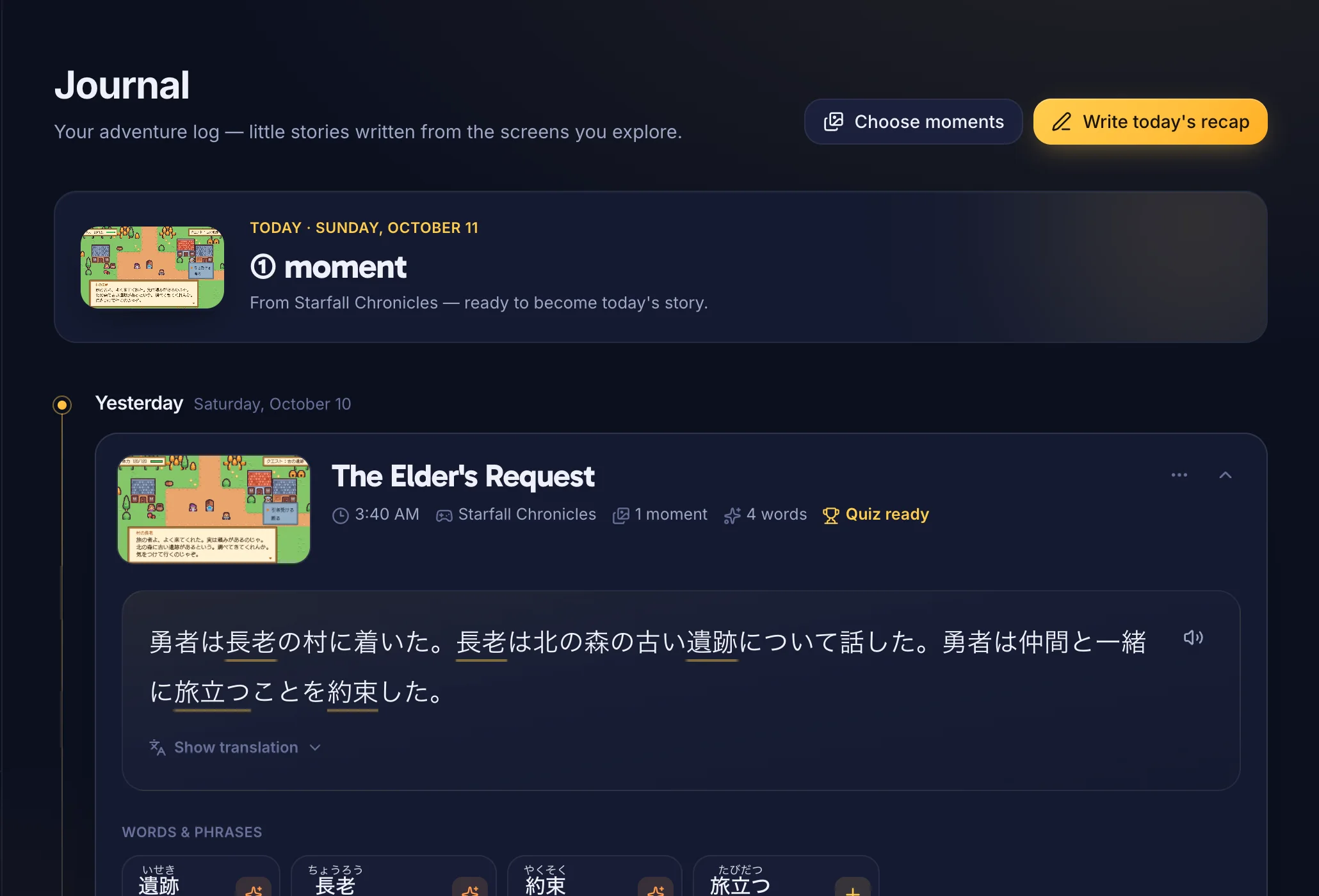
What you played and learned each day, with a short quiz.
Also in Overword: a grammar notebook filled from your games, speaking practice with a score, and a translator with ranked options.
On Windows, add the language you study in Windows Settings so the system can read it.
Anything that shows text on screen: RPGs, visual novels, strategy games, emulators, even videos. Run the game in borderless or windowed mode. Exclusive full-screen games can't have overlays on top of them.
Overword works like a screen recorder: it takes a screenshot and draws its own window over the game. It doesn't inject code into games or read their memory or files.
Reading the screen and reviews work offline. Explanations, translations and the tutor need a connection.
Yes. Import .apkg files, send new words to Anki through AnkiConnect without duplicates, or export to CSV.
Overword asks you to subscribe to keep using the AI features. Your words, decks and review history stay on your computer either way.
macOS 13 Ventura or later. The Windows 10 and 11 version is in a closed beta that opens in small groups: join the waitlist.
Install Overword, sign in with your email and start a game. The first seven days are free.
macOS 13 or later. Windows 10 and 11 in beta.